AI image generation has transformed how digital content is created. From blog featured images to marketing creatives and social media visuals, AI tools are now widely used. Among these tools, two major technologies dominate the space: Text-to-Image AI tools and Image-to-Image AI tools. While both are used to generate images with artificial intelligence, their working methods, use cases, and advantages are very different.
In this detailed guide, we will explain the difference between Text-to-Image vs Image-to-Image AI tools, how each works, when to use them, and mention 5 free AI tools that are easy to use. This article is designed for beginners, bloggers, designers, and anyone interested in AI image generation.
What Are Text-to-Image AI Tools?
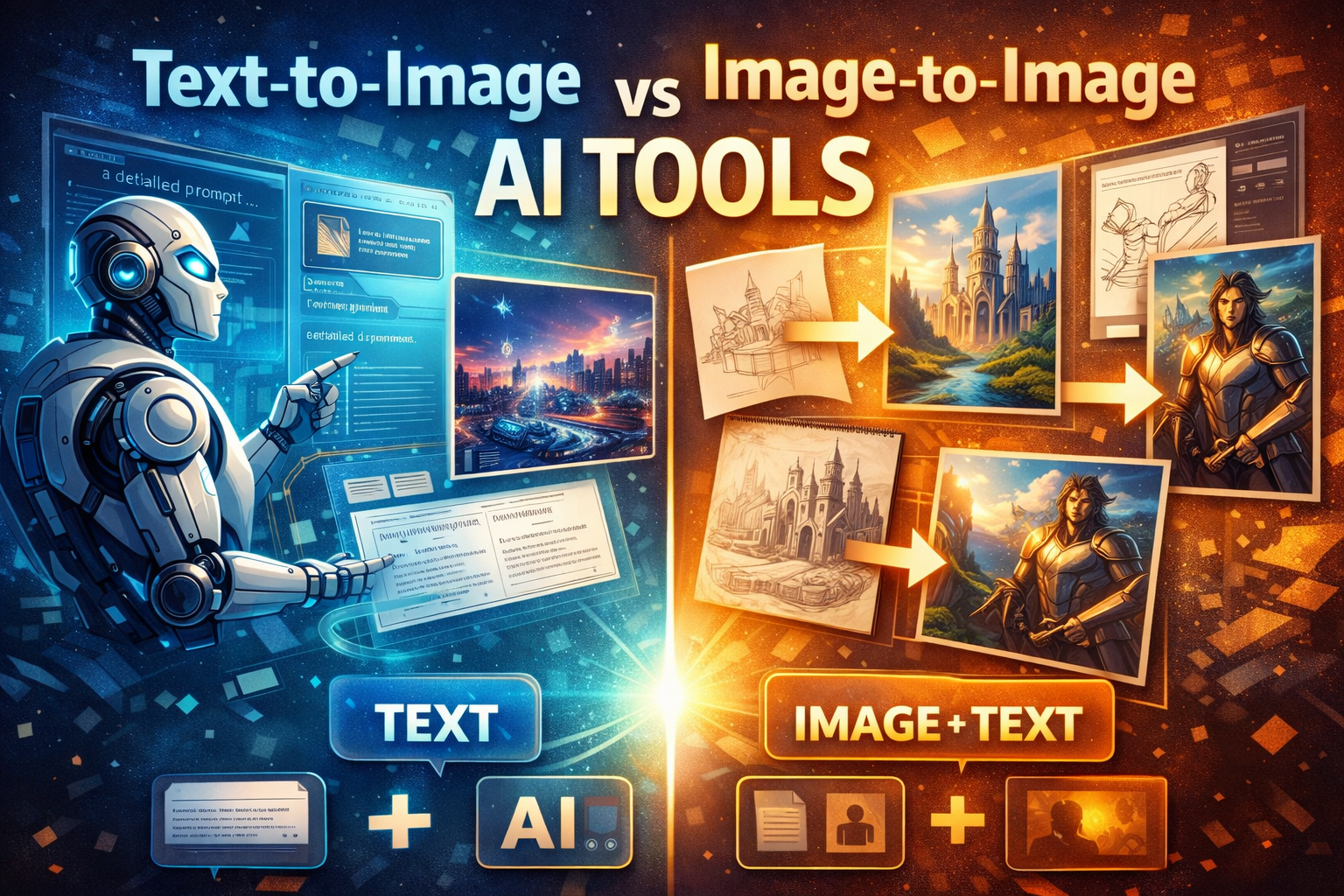
Text-to-Image AI tools create images purely from written descriptions. You provide a text prompt, and the AI generates an image based on that input. These tools rely heavily on natural language understanding and visual pattern learning.
For example, if you write:
“A futuristic city at night with neon lights and flying cars,”
the AI interprets the words and generates a completely new image.
Key Features of Text-to-Image AI Tools
- No starting image required
- Works only on text prompts
- Ideal for creative ideas and imagination
- Best for concept art and illustrations
- Highly dependent on AI image prompts
Text-to-image technology is widely used by bloggers and content creators who need unique visuals without manual design work.
What Are Image-to-Image AI Tools?
Image-to-Image AI tools generate new images using an existing image as the base. You upload an image and provide a short text prompt describing how you want it changed. The AI then modifies or transforms the original image while keeping its structure.
For example, you upload a sketch and ask the AI to convert it into a realistic photo-style image.
Key Features of Image-to-Image AI Tools
- Requires a source image
- Preserves original composition
- Used for editing, enhancement, and style transfer
- Ideal for designers and artists
- Less randomness compared to text-to-image tools
Image-to-image tools are extremely useful for refining visuals rather than creating them from scratch.
Core Difference: Text-to-Image vs Image-to-Image AI Tools
Understanding the difference between Text-to-Image vs Image-to-Image AI tools helps you choose the right one for your needs.
| Aspect | Text-to-Image AI | Image-to-Image AI |
|---|---|---|
| Input | Text only | Image + text |
| Creativity | Very high | Moderate |
| Control | Less precise | More precise |
| Use case | New image creation | Image modification |
| Beginner-friendly | Yes | Yes, with image |
Both technologies are powerful, but they serve different purposes.
When Should You Use Text-to-Image AI Tools?
You should use Text-to-Image AI tools when:
- You don’t have any reference image
- You want original visuals
- You are writing blogs or articles
- You need featured images quickly
- You want to experiment with creative styles
Text-to-image tools are especially popular for blog featured images, AI art, and concept designs.
When Should You Use Image-to-Image AI Tools?
You should use Image-to-Image AI tools when:
- You already have an image or sketch
- You want to improve image quality
- You want to change style or mood
- You need consistency in visuals
- You are editing or redesigning images
Image-to-image tools are widely used in graphic design, photo enhancement, and branding.
Importance of Prompts in Both AI Tools
Prompts play a critical role in both technologies, but in different ways.
- In Text-to-Image AI tools, prompts define everything: subject, style, lighting, mood, and quality.
- In Image-to-Image AI tools, prompts guide how the original image should be changed.
Using well-written AI image prompts results in better accuracy and higher-quality visuals.
5 Free and Easy-to-Use AI Image Tools
Below are 5 free AI tools that support text-to-image or image-to-image generation and are beginner-friendly.
1. Bing Image Creator
This tool is ideal for Text-to-Image AI generation. Users simply write a prompt, and the tool generates multiple images. It is easy to use and perfect for beginners who want quick results without technical settings.
Best for:
- Blog images
- Creative illustrations
- Simple AI art
2. Playground AI
Playground AI supports both Text-to-Image and Image-to-Image AI tools. It offers a simple interface and allows users to upload images for transformation.
Best for:
- Image editing
- Style transformation
- Beginners and designers
3. Leonardo AI (Free Tier)
Leonardo AI is popular among creators for generating high-quality visuals. It supports Text-to-Image AI and limited Image-to-Image features in its free plan.
Best for:
- Game assets
- Detailed AI images
- Professional-style visuals
4. Stable Diffusion Web UI (Free Versions)
Stable Diffusion-based tools allow both Text-to-Image and Image-to-Image AI generation. Many free versions are available with simple interfaces.
Best for:
- Advanced prompt control
- Artistic styles
- Custom AI outputs
5. Canva AI Image Generator (Free Plan)
Canva offers an AI image generator that is very easy to use. It mainly focuses on Text-to-Image AI tools and integrates images directly into designs.
Best for:
- Social media posts
- Marketing creatives
- Beginners with no design experience
Which One Is Better: Text-to-Image or Image-to-Image?
There is no single winner in the Text-to-Image vs Image-to-Image AI tools debate. The best option depends on your goal.
Choose Text-to-Image AI tools if:
- You want something new and creative
- You are starting from zero
- You need fast content visuals
Choose Image-to-Image AI tools if:
- You want more control
- You are refining an existing design
- You need consistency across images
Many professionals use both technologies together for best results.
Common Mistakes Users Make
When using AI image tools, users often make these mistakes:
- Writing very short prompts
- Ignoring lighting and style details
- Using the wrong tool for the task
- Expecting perfect results in one try
Understanding AI image generation workflows helps avoid these issues.
Future of AI Image Generation Tools
The future of Text-to-Image and Image-to-Image AI tools looks promising. Upcoming improvements may include:
- More realistic images
- Faster generation speed
- Better prompt understanding
- Improved image consistency
- More free features for users
As AI evolves, these tools will become essential for digital content creation.
Final Thoughts
Both Text-to-Image AI tools and Image-to-Image AI tools play a major role in modern AI-powered creativity. Text-to-image tools are perfect for generating new ideas, while image-to-image tools excel at refining and enhancing existing visuals.
By understanding the difference between Text-to-Image vs Image-to-Image AI tools, you can choose the right tool for your needs and create better content faster. With many free AI image tools available, anyone can start experimenting without spending money.
Mastering both approaches will give you full control over AI-generated visuals and help you stay ahead in the rapidly growing world of AI tools and technology.