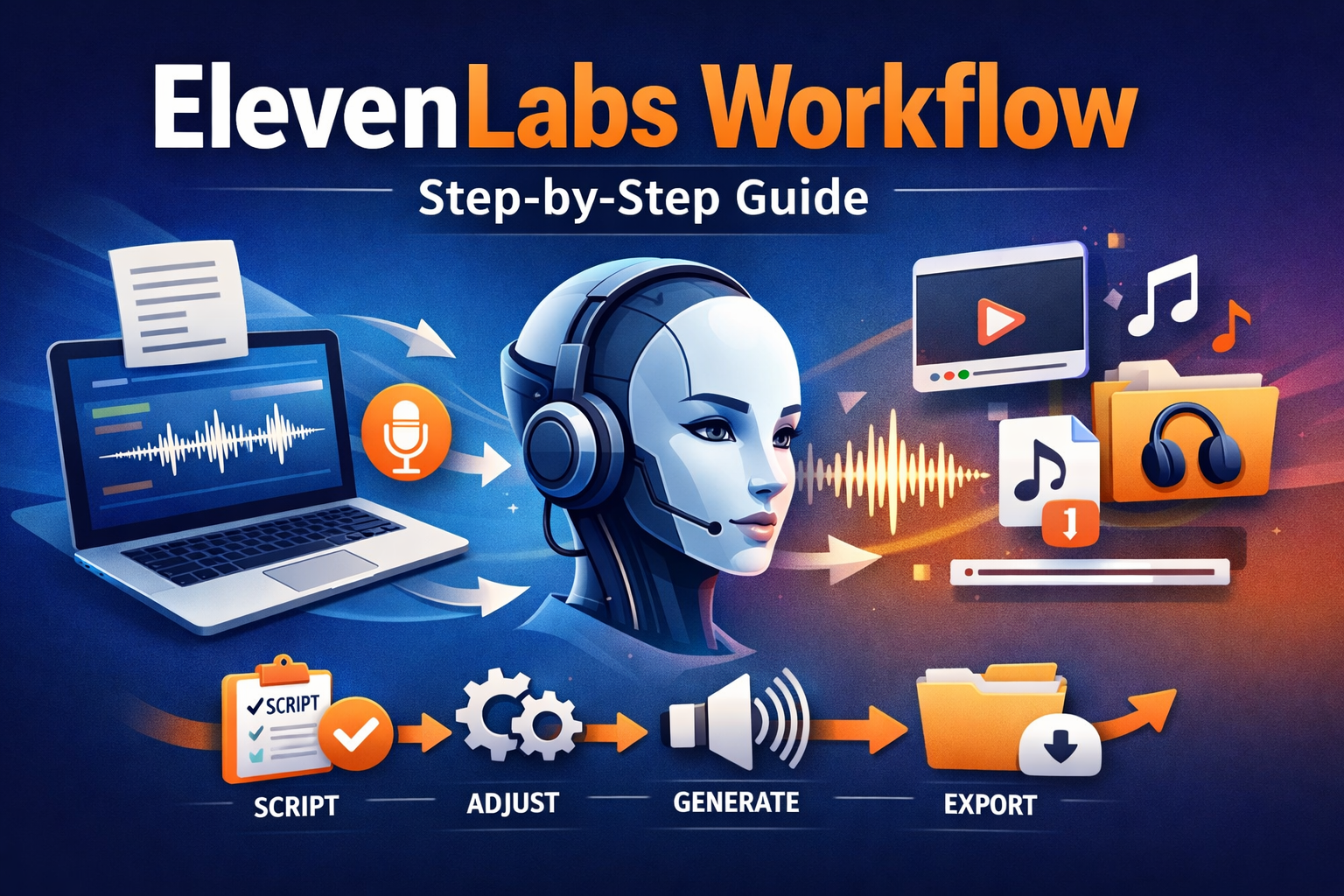
ElevenLabs is a powerful AI voice platform that helps you convert text into natural-sounding speech. Whether you are a content creator, marketer, YouTuber, podcaster, or business owner, understanding the ElevenLabs workflow can help you save time and produce professional-quality voice content easily.
In this article, you will learn the complete ElevenLabs workflow, explained in a simple and beginner-friendly way. We will cover everything from account setup to generating, editing, and managing AI voices efficiently.
What Is ElevenLabs?
ElevenLabs is an AI-powered text-to-speech and voice generation tool. It allows users to create realistic human-like voices using artificial intelligence. You can generate voices in multiple languages, clone voices, and fine-tune speech output for different use cases.
The ElevenLabs workflow is designed to be simple, making it suitable even for beginners with no technical background.
Why Understanding the ElevenLabs Workflow Is Important
Knowing the proper ElevenLabs workflow helps you:
- Save time during voice generation
- Maintain consistent voice quality
- Avoid common mistakes
- Improve productivity
- Create scalable voice content
When you follow a structured workflow, you can easily manage multiple projects and reuse voices without confusion.
Step 1: Create and Set Up Your ElevenLabs Account
The first step in the ElevenLabs workflow is creating an account.
Once you sign up, you will get access to the dashboard. This is where all voice-related activities happen. From here, you can manage voices, projects, and audio outputs.
Key things to do after login:
- Complete your profile
- Select your preferred language
- Review available voice features
This setup ensures a smooth ElevenLabs workflow from the beginning.
Step 2: Choose the Right Voice
Selecting the right voice is a crucial part of the ElevenLabs workflow.
ElevenLabs offers:
- Pre-built AI voices
- Custom voice cloning options
- Different tones and accents
Before generating audio, think about your content type:
- Explainer videos need a clear and neutral voice
- Storytelling needs expressive tones
- Business narration needs professional voices
Choosing the correct voice improves engagement and makes your workflow more effective.
Step 3: Prepare Your Script Properly
Script preparation is often ignored, but it is a key step in the ElevenLabs workflow.
Tips for script preparation:
- Write short and clear sentences
- Avoid complex punctuation
- Use natural conversational language
- Break long paragraphs into smaller parts
A clean script ensures accurate pronunciation and smooth voice output.
Step 4: Convert Text to Speech
Now comes the main part of the ElevenLabs workflow: converting text to speech.
Steps involved:
- Paste your script into the text editor
- Select the voice
- Adjust voice settings like stability and clarity
- Click generate
ElevenLabs processes your text and produces high-quality audio within seconds.
This step is fast and beginner-friendly, making the workflow efficient.
Step 5: Fine-Tune Voice Settings
Fine-tuning is what makes the ElevenLabs workflow powerful.
You can adjust:
- Voice stability
- Expressiveness
- Pronunciation accuracy
- Speed and tone
Small adjustments can significantly improve the final output. For example, increasing stability gives a consistent voice, while lowering it adds emotional variation.
Testing different settings helps you find the best balance for your content.
Step 6: Review and Edit the Audio Output
Reviewing the generated audio is an essential step in the ElevenLabs workflow.
Listen carefully for:
- Mispronunciations
- Unnatural pauses
- Tone mismatches
If needed, make small script edits and regenerate the audio. ElevenLabs allows multiple iterations, which makes corrections easy.
This step ensures professional-quality results every time.
Step 7: Organize Projects and Audio Files
Proper organization improves long-term efficiency in the ElevenLabs workflow.
Best practices:
- Name files clearly
- Create folders for different projects
- Save versions when testing voices
Organized audio management helps when you work on large content libraries or multiple clients.
Step 8: Export and Use the Audio
Once your audio is ready, export it in the required format. This step completes the ElevenLabs workflow.
Common use cases include:
- YouTube videos
- Podcasts
- Audiobooks
- Ads and marketing videos
- E-learning courses
Make sure to check volume levels and compatibility with your editing software before final use.
Step 9: Advanced Workflow Automation (Optional)
For advanced users, the ElevenLabs workflow can be scaled using automation.
Possible improvements:
- Batch processing scripts
- Reusing voice presets
- Creating voice templates
Automation is useful for agencies, content teams, and businesses that produce audio regularly.
Common Mistakes to Avoid in ElevenLabs Workflow
Avoiding mistakes can save time and improve results.
Common errors include:
- Using poorly written scripts
- Ignoring voice settings
- Not reviewing generated audio
- Mixing multiple voices inconsistently
Following a clean ElevenLabs workflow helps you avoid these issues.
Best Practices for an Efficient ElevenLabs Workflow
Here are some proven tips:
- Always test with short text first
- Save your best voice presets
- Maintain a script formatting standard
- Keep backups of important audio files
These habits improve productivity and audio consistency.
Who Should Use ElevenLabs Workflow?
The ElevenLabs workflow is useful for:
- Content creators
- Digital marketers
- YouTubers
- Podcasters
- Educators
- Businesses
Anyone who needs voice content can benefit from this workflow.
Final Thoughts
The ElevenLabs workflow is simple, flexible, and powerful. By following a step-by-step approach—starting from account setup to final audio export—you can create high-quality AI voice content without technical complexity.
With proper planning, script preparation, and voice fine-tuning, ElevenLabs becomes an essential tool for modern content creation. Once you master this workflow, producing professional voice content becomes fast, reliable, and scalable.