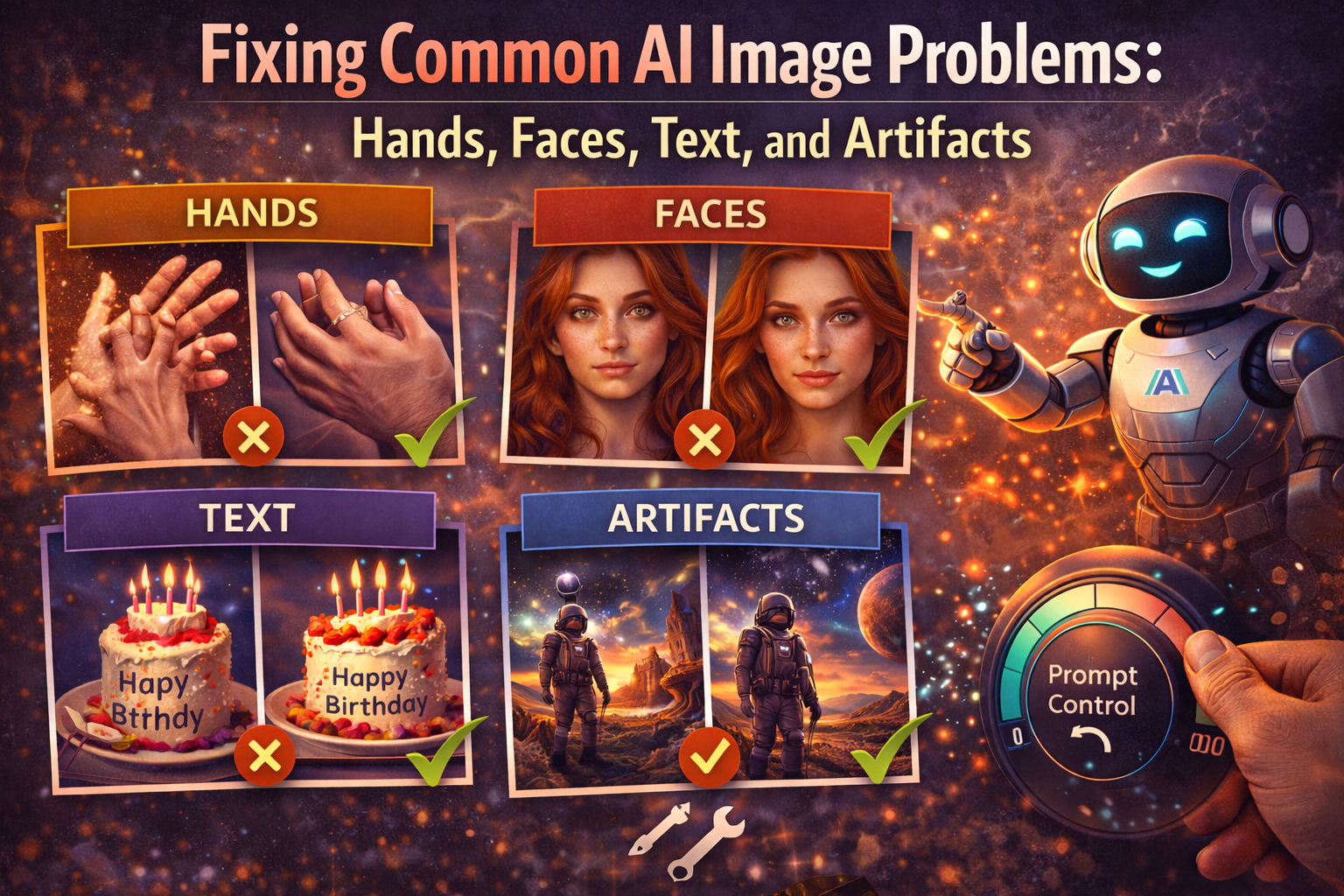
Even with well-written prompts, AI image generators often produce visual errors. Extra fingers, distorted faces, random text, and strange artifacts are among the most common issues faced by users at all levels.
These problems can be frustrating, especially when everything else in the image looks perfect. Fortunately, most AI image issues are prompt-related and fixable.
This article explains why common AI image problems happen and shows practical prompt-based solutions to fix them using techniques learned in previous articles.
Why AI Image Problems Happen
AI image generators work by predicting pixels based on patterns. When a prompt is unclear, overloaded, or conflicting, the AI fills gaps with random elements.
Common causes include:
- Vague or incomplete prompts
- Missing negative prompts
- Conflicting styles
- Overcrowded scenes
- Lack of realism signals
Understanding prompt structure from Basic Structure of an AI Image Prompt helps prevent many of these problems before they appear.
Fixing Hands and Fingers Issues
Hands are one of the hardest things for AI to generate correctly.
Common Hand Problems
- Extra fingers
- Twisted hands
- Merged fingers
- Missing fingers
Prompt Fix Techniques
- Use Negative Prompts
extra fingers, extra hands, fused fingers, deformed hands
- Limit Hand Visibility
If hands are not essential, avoid mentioning them. - Specify Natural Poses
hands resting naturally, relaxed fingers
Example Prompt
Positive prompt:
A photorealistic portrait of a man standing with hands resting naturally at his sides, studio lighting

Negative prompt:
extra fingers, extra hands, deformed fingers, distorted anatomy
Fixing Distorted Faces and Eyes
Face distortion reduces realism and credibility.
Common Face Issues
- Asymmetrical faces
- Crossed or misaligned eyes
- Unnatural expressions
Prompt Fix Techniques
- Add Facial Quality Keywords
natural facial proportions, symmetrical face
- Use Negative Prompts
distorted face, crossed eyes, extra eyes, deformed facial features
- Use Soft Lighting
Harsh lighting increases distortion risk.
Example Prompt
Positive prompt:
A photorealistic close-up portrait of a woman with natural facial proportions, soft lighting, shallow depth of field

Negative prompt:
distorted face, crossed eyes, extra eyes, unnatural expression
These fixes connect closely with Photorealistic AI Image Prompts.
Removing Unwanted Text and Watermarks
AI models often add random text or logos, especially in realistic or product images.
Common Text Issues
- Random letters
- Fake brand logos
- Watermarks
Prompt Fix Techniques
- Always Add Text-Related Negatives
text, watermark, logo, signature, letters
- Avoid Asking for Posters or Ads
Unless text is required, avoid prompt words related to print.
Example Prompt
Positive prompt:
A realistic product photo of a smartwatch on a white background, studio lighting

Negative prompt:
text, logo, watermark, signature
Fixing Artifacts, Blur, and Noise
Artifacts reduce image quality and professionalism.
Common Artifact Issues
- Blurry edges
- Random shapes
- Pixel noise
Prompt Fix Techniques
- Quality Signals
high detail, sharp focus, high resolution
- Negative Prompts
blurry, noise, artifacts, low resolution
- Avoid Overcrowding
Too many objects increase artifact risk.
Example Prompt
Positive prompt:
A high-detail photorealistic portrait with sharp focus, professional photography

Negative prompt:
blurry, noise, artifacts, low quality
Improving Composition and Proportions
Sometimes images look strange even without obvious errors.
Common Composition Problems
- Cropped heads
- Cut-off limbs
- Unbalanced framing
Prompt Fix Techniques
- Specify Framing
full body shot, centered composition
- Use Camera Language
medium shot, wide-angle shot
- Control Perspective
Example Prompt
A full-body photorealistic image of a man standing upright, centered composition, natural proportions
These techniques connect to Creative & Cinematic AI Image Prompt Techniques.
Prompt-Based Problem-Solving Examples
Example: Fixing Multiple Issues
Positive prompt:
A photorealistic portrait of a man, natural skin texture, soft lighting, centered composition, professional photography

Negative prompt:
extra fingers, distorted face, text, watermark, blur, noise
This single prompt fixes hands, face, text, and quality issues together.
Common Mistakes When Fixing AI Images
- Adding too many negatives
- Using vague negative words
- Ignoring lighting
- Overcrowding scenes
- Expecting perfection in one attempt
Problem-solving works best when combined with Advanced Prompt Engineering Techniques such as seed control.
How Problem Fixing Supports Advanced Workflows
For professional workflows, fixing common AI image problems is essential for:
- Brand visuals
- Marketing assets
- Client deliverables
- Product imagery
This skill directly supports AI Image Prompts for Business & Marketing.
Conclusion
Common AI image problems like extra fingers, distorted faces, unwanted text, and artifacts are not random. They are usually the result of prompt issues that can be fixed with better structure, negative prompts, and realism signals.
By applying the techniques in this article, you can dramatically improve image quality and consistency. This knowledge completes the technical foundation needed for professional AI image generation.
In the next article, we will focus on AI Image Prompts for Business & Marketing, where quality and consistency are critical.